Away for a minute.
Still here on paper.
AwaySitter is the sitter for your desk while you step away. When you're genuinely idle it makes small, human-like mouse moves — curved, unhurried, never a metronome — so your status stays active and your session doesn't drop. Touch the mouse and it stops on the spot. Local, no telemetry, nothing to set up.
3-DAY FREE TRIAL · ONE-TIME · 2 PCs · PORTABLE · 14-DAY REFUND · WINDOWS 10/11

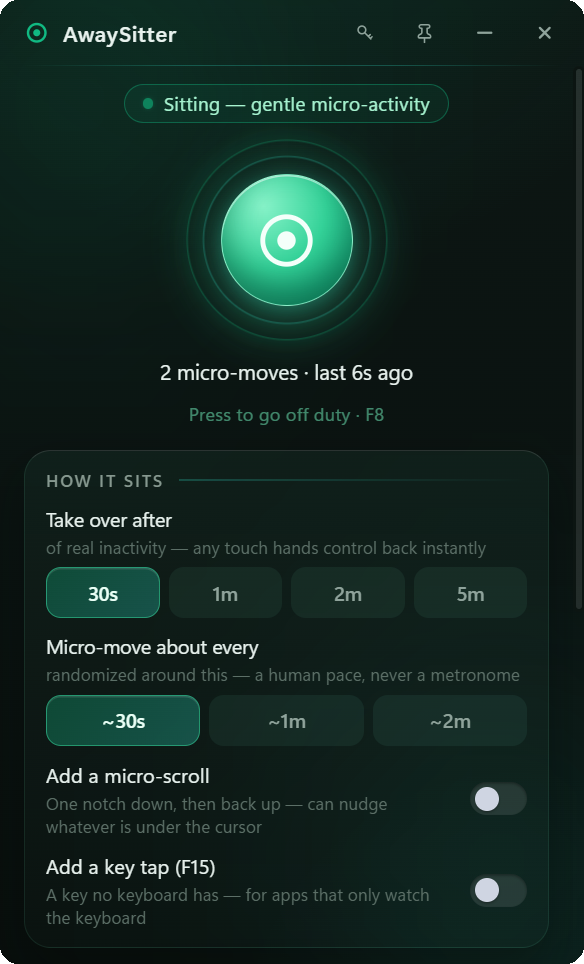
One button. It sits so you can step away.
No scripting, no schedules to build. Go on duty and AwaySitter waits, quietly. Only after you've really been idle does it start its gentle micro-activity — and the moment you're back, or you press F8, it hands the desk straight back to you.
Small app. Careful about the details.
Everything a presence keeper should do, done gently. No accounts, no cloud, no “suite”.
A human curve, not a metronome
Micro-moves follow curved paths with real noise on position and timing, at randomized intervals. It doesn't tick like clockwork, because people don't.
Only when you're truly away
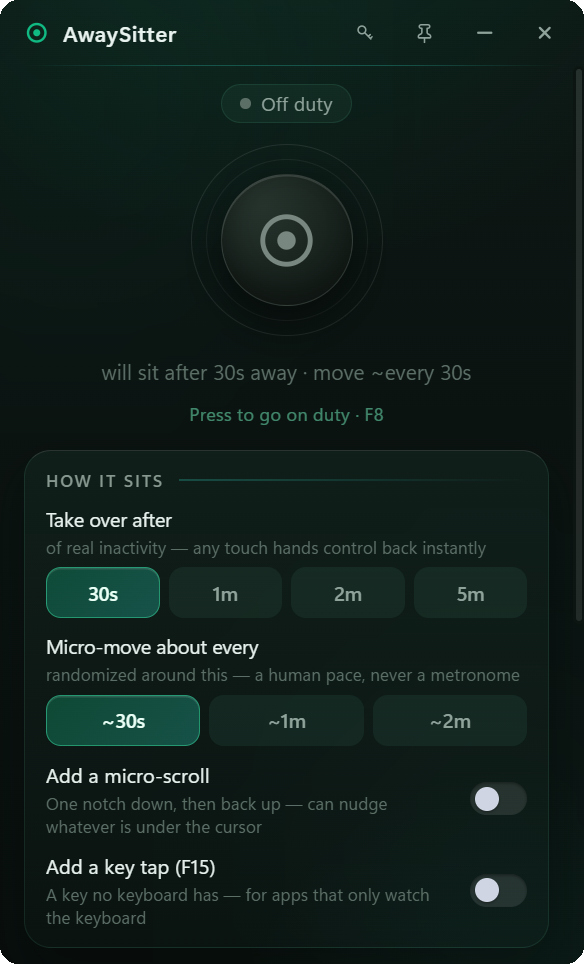
Choose the threshold — 30 seconds, 1, 2 or 5 minutes — and AwaySitter waits that long of genuine inactivity before it does anything at all.
Pauses the instant you're back
The first real touch of the mouse or keyboard stops it mid-motion, within a few hundredths of a second. It never wrestles you for the cursor, then quietly resumes once you leave again.
Knows its own input from yours
Every move it makes is tagged, so it never mistakes its own activity for you coming back. That's why the pause is reliable and the idle timer stays accurate.
Optional scroll & key tap
Add a one-notch scroll, or a tap of F15 — a key no keyboard has — for apps that watch the keyboard instead of the pointer. Both off by default.
A hotkey from anywhere
F8 toggles AwaySitter on and off duty from inside any app, and you can rebind it in one click.
Lives in the tray, keeps a log
Close the window and it keeps sitting from the system tray. A discreet in-app log shows each micro-move and the session count, so you always know exactly what it did.
Portable & 100% local
One small .exe — no installer, no admin, no registry. No telemetry, no analytics, no cloud. It talks to the internet only to check your license key.
What it is, in the open.
AwaySitter is a software tool that sends synthetic mouse input. Here's what that means, stated plainly, so you can decide whether it fits what you need.
- Synthetic input is flagged. Windows marks injected input with an OS flag (LLMHF_INJECTED); software that looks for it can tell it apart from a physical mouse. What AwaySitter does reliably is keep the idle timer from starting — that's what idle-based status indicators read.
- Built for away moments. Long reads, builds, remote sessions, being on call — the times you're away from the keyboard but not away from the work.
- Everything is local. Zero telemetry, one portable file; the only network call is the license check.
- The price is on this page. One number, no “contact us”, no tiers hiding the real cost.
Ten seconds to get it.
Set the wait
Tell AwaySitter how long of real inactivity to wait — 30 seconds up to 5 minutes — and roughly how often to move. It remembers your choice.
Go on duty
Press the beacon, or hit F8 from any app. Nothing happens while you're at the desk — it only starts sitting once you've genuinely stepped away.
Step away, come back
Small human-like moves keep your presence alive. The moment you touch anything, it stops — no jolt, no fighting the cursor — and picks up again next time you leave.
One price. In the open.
No tiers, no subscription, no “contact us”. The price on this page is the whole story.

- Every feature — human-curve micro-activity, thresholds, cadence, scroll & key tap, hotkey, tray, log
- Portable edition included — run it from a USB stick, no admin
- License valid on 2 PCs, movable in one click
- All 1.x updates included
- 14-day money-back guarantee
SECURE CHECKOUT & EU VAT HANDLED BY LEMON SQUEEZY · INSTANT KEY BY EMAIL
Not sure yet? Download the free trial — 3 days with everything unlocked, no signup.
Questions, answered.
Is there a free trial?
Yes. Download AwaySitter and you get 3 days with everything unlocked — no signup, no card. When the trial ends the app locks until you enter a key. It’s the same file buyers get: a license key simply unlocks it.
Is AwaySitter undetectable?
No. AwaySitter uses standard Windows synthetic input, which the operating system marks as injected (the LLMHF_INJECTED flag), so software that specifically looks for that flag can tell it from a physical mouse. What it does reliably is keep the Windows idle timer from starting, which is what idle-based status indicators like Teams and Slack read.
What is AwaySitter for?
The moments you're away from the keyboard but still working or reachable: a long read or document review, a build or render, a remote session, being on call, or stepping away from a machine you'd rather not lock and re-authenticate every few minutes. It's a tool; how you use it is your call.
Will my Teams or Slack status stay active?
For apps that follow the Windows idle timer — which includes Teams and Slack today — yes: a real inactivity timer never starts, so your status doesn't flip to away. Apps that apply their own rules may behave differently, and we won't promise what we don't control.
How is it different from a hardware mouse jiggler?
A hardware jiggler wiggles the cursor on a fixed loop whether you're there or not, clutters your desk, and can't be tuned. AwaySitter moves along human-like curved paths with randomized timing, only after you've really been away, pauses the instant you return, logs what it did, and is a single file with nothing to plug in.
Does it move the mouse while I'm using the PC?
Never. AwaySitter only acts after your chosen threshold of genuine inactivity, measured from your own input — not from its own moves. The moment you touch the mouse or keyboard it steps aside within a few hundredths of a second and never fights your cursor.
Does AwaySitter need administrator rights? Do I need to install it?
No and no. It's a single portable .exe: download, double-click, done. It runs as a normal user, with no installer, no drivers, no services and no registry changes — that's the Portable edition, and it's the only edition, because it's all you need.
Is it a subscription?
No. $12.99 once. The license works on 2 PCs at the same time and you can move it with one click. All 1.x updates are included.
Does AwaySitter work offline?
Yes. It checks your license online at launch and keeps working for a few days between checks, so a flight or a weekend off-grid is never a problem.
Why does Windows warn me the first time I run it?
The file isn't code-signed yet, so Windows SmartScreen is cautious with new files — as it should be. Click More info, then Run anyway. The download is exactly the file we published, from this site only. Prefer no prompt at all? Install from the Microsoft Store: same app, same trial.
What are the system requirements?
Windows 10 or 11, 64-bit. Nothing else to install: the WebView2 runtime AwaySitter uses ships with Windows 11, and with Microsoft Edge on Windows 10.
What if AwaySitter is not for me?
Email support@awaysitter.com within 14 days and you get your money back, no argument. Write even if you're past the window: most problems turn out to be a five-minute fix. Your statutory rights as a consumer are unaffected.